Intro to the Raspberry Pi and the Internet of Things - A Class I Taught in 2018
In spring 2018 I taught an introductory class on the Raspberry Pi, basic electronics and the Internet of Things, together with Gloria from InnoBotics - a personal teaching project. It ran on seven Sunday afternoons, from 11 March to 29 April 2018, three hours each. The class assumed no prior knowledge of Linux, Python or electronics: a "driver's license" for the Raspberry Pi. Everybody worked on their own Raspberry Pi, from the first LED on a breadboard to a reaction game with buttons, LEDs and an LCD display, written in Python. These are my slides, together with the Python programs we wrote. The LCD display of the last class uses the Adafruit CharLCD library.
Slides and Programs
|
Class 1 - What is the Internet of Things?
11 March 2018
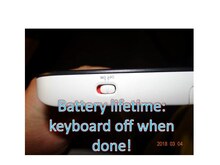
Welcome and organization, what the Internet of Things is, IP addresses and the home network, a demo of an Internet-controlled lamp, HTTP, and safety rules for relays.
|
|
Class 2 - Setting up the Raspberry Pi, Linux Basics
18 March 2018
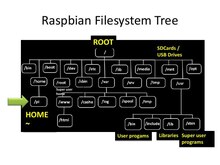
Configuring the Raspberry Pi (Wifi, screen, time zone, password, backups), the PIXEL desktop, Linux basics and the command shell, and the first LED circuit on the breadboard.
|
|
Class 3 - LEDs, Resistors, Digital Signals
25 March 2018
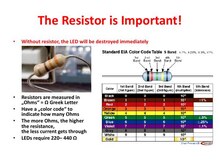
Linux recap, the LED circuit explained - anode and cathode, resistors and Ohms with the water analogy, diodes - then digital and analog signals and Python programs for the GPIO pins.
|
|
Class 4 - RGB LEDs and Buttons
1 April 2018
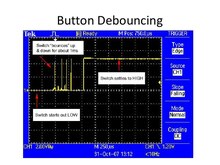
The RGB LED and Python lists, the button as a digital input, floating inputs and pull-up resistors, button debouncing, and the first project ideas.
|
|
Class 5 - Projects
8 April 2018
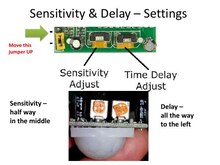
Projects in three levels of difficulty: a light mixer, a sound board, a binary counter, an alarm system with a PIR motion sensor, and a reaction game.
|
|
Class 6 - Let's Make a Game: Catch the LED
22 April 2018
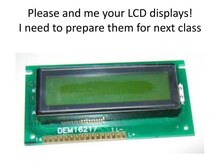
A reaction game with three LEDs and three buttons, developed step by step in Python: random numbers, measuring time, and doing something while waiting.
|
|
Class 7 - Adding an LCD Display
29 April 2018
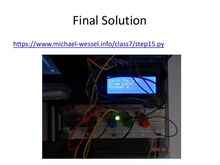
The final solution of the game, hooking up an LCD display, installing and testing the LCD library, and showing the score of the game on the display.
|

